More than the score: connect your workouts to your tennis
Your workout already knows when you played. Bring it into tete to log faster, see your heart rate and active calories, and add context to your match notes.
Less typing after tennis
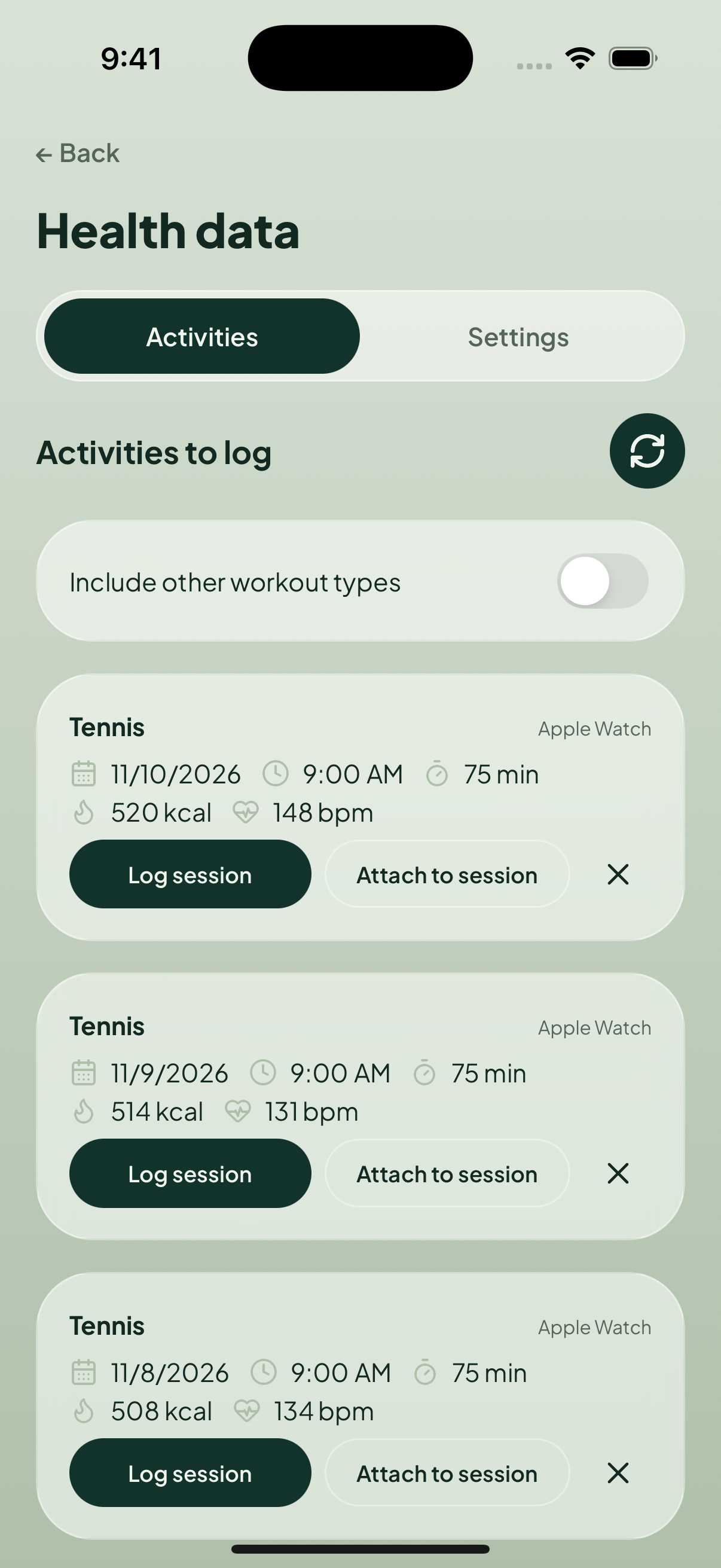
Choose a workout and tap Log session. The date and time of day are filled in; you add the score, players, and notes. Already logged it? Tap Attach to session instead.
See your effort beyond the score
In Stats & Trends, explore average heart rate, total active calories, workout time, and calories by month. See the time you put into tennis, including practice that never appears in your win rate. Totals cover workouts attached to saved sessions.
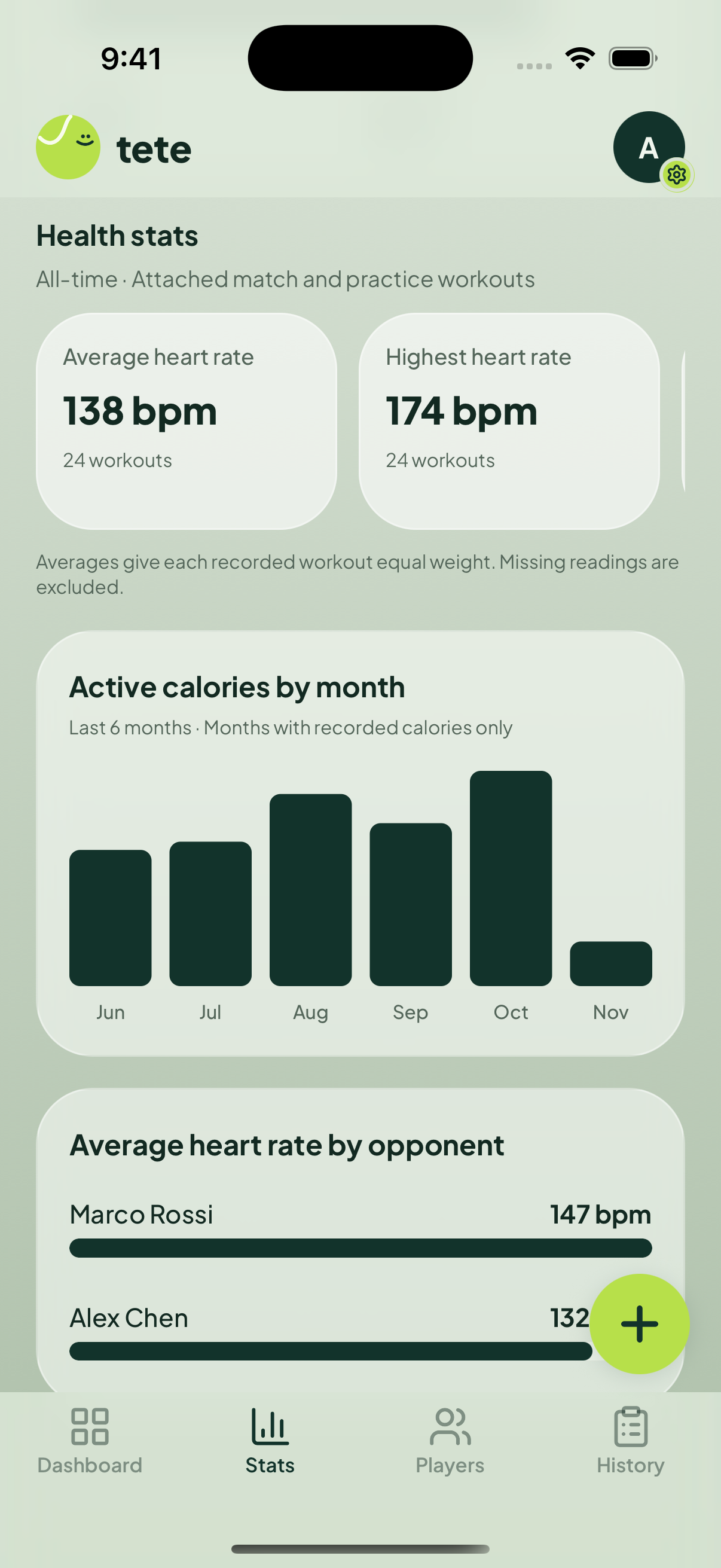
Compare your heart rate by player
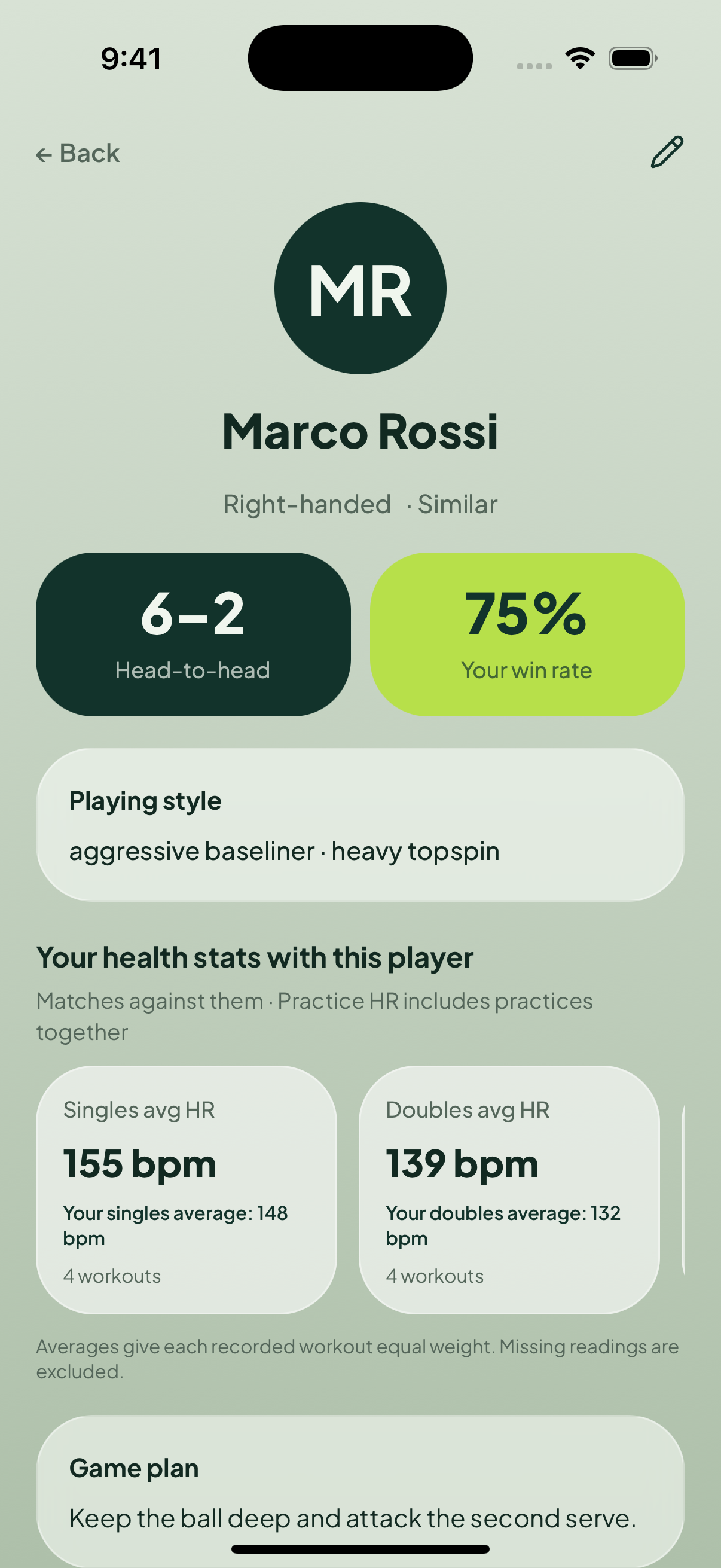
Tap an opponent’s bar to open their profile. Singles, doubles, and practice each compare with your own average for that format. Use differences to revisit your notes—not as proof that you played better or that someone is a harder opponent.
How to connect
- Sync your workout to Apple Health or Health Connect.
- Sign in to tete. Open Settings → Health data → Settings, then tap Connect.
- Allow workouts, plus heart rate and active energy if you want those stats.
- Open Activities, choose a workout from the last 30 days, then log or attach it. Select your metrics and save.
Missing a workout? Sync and refresh. Try Include other workout types if it was not recorded as tennis, or review Manage permissions.
Do I need a wearable?
Most useful if you already record workouts with a smartwatch. Smart rings depend on what their companion app shares. No wearable? Workouts saved by a compatible app can still make logging easier. Heart-rate comparisons need recorded heart-rate data.
Share only what you want
Add your session’s time, active calories, or heart rate to an Instagram Story. Health metrics are off by default—you choose what appears before sharing.